Edition matching
Select Java or Bedrock before opening a route so terrain and structures use the right generation rules.
Java and Bedrock seed maps
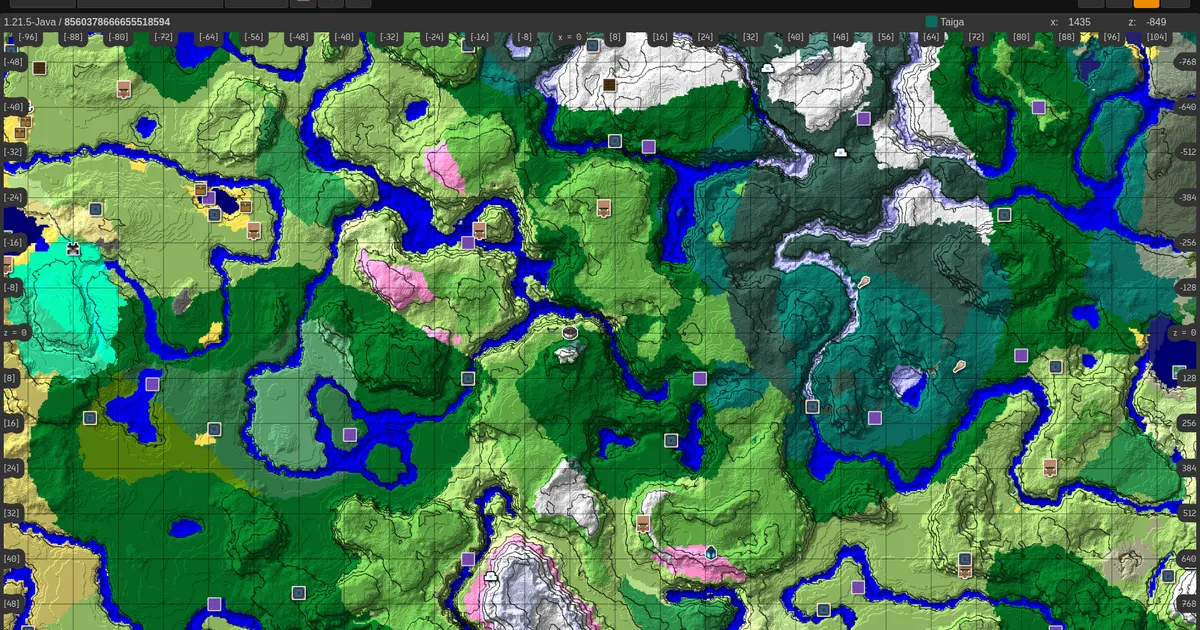
Paste a seed, pick Java or Bedrock, and explore biomes, villages, strongholds, ancient cities and more. No download, no account.
Map launcher
How it works
Type a number or a text seed, or hit Random to explore a new world.
Choose Java or Bedrock and the version your world was created in.
Pan the Overworld, Nether and End, check coordinates, and share the map link.
Coverage
Select Java or Bedrock before opening a route so terrain and structures use the right generation rules.
Use X and Z targets for villages, strongholds, ancient cities, monuments, mansions, portals, and End routes.
Already-explored chunks can keep old terrain when a world was started in another version.
Structures
Seedora keeps the full map available first, then lets the viewer surface generated structures across Overworld, Nether, and End.
Seed help
Java players can use /seed when permissions allow.
Bedrock players can check world settings. Server and Realm seeds
usually require owner access.
%appdata%\.minecraft\saves\WorldName\
~/Library/Application Support/minecraft/saves/WorldName/
~/.minecraft/saves/WorldName/
FAQ
Yes. Pick the edition and the closest matching version before opening the map. Java and Bedrock generate different worlds from the same seed, so the edition matters.
On Java, run /seed in the world chat if cheats or permissions allow it. On Bedrock, open the world settings. Server and Realm seeds usually need owner access.
Common causes are an edition mismatch, a version mismatch, a mistyped seed, disabled structures, or chunks that were generated before an update.
The version menu covers Java and Bedrock from 1.18 up to the latest 26.x releases. Choose the version your world was first created in.
Yes. Seedora accepts numeric seeds and text seeds, the same way Minecraft converts typed text into a world seed.
No. The viewer runs in your browser and does not require an account or a download.